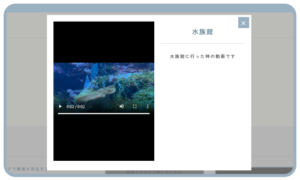
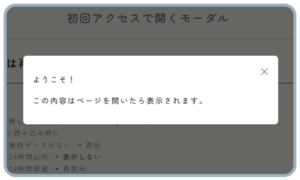
お知らせ記事の内容をモーダルとして呼び出すUIを
試してみたいと思ったのでやってみます。
×

お知らせ記事③
ダミーテキストダミーテキストダミーテキストダミーテキスト
×

お知らせ記事②
ダミーテキストダミーテキストダミーテキスト
×

お知らせ記事①
本文が入ります。ダミーテキストダミーテキスト
PHP(後学の為の解説付き)
<!-- モーダルを開くボタン -->
<button class="openModalBtn" data-modal="modal-<?php echo $post_id; ?>">
<?php the_title(); ?>
</button>
<!-- モーダル本体 -->
<div id="modal-<?php echo $post_id; ?>" class="modal">
②id="modal-<?php echo $post_id; ?>"
⇒ボタンの data-modal と一致するID
JavaScriptでこのIDを使って表示・非表示を切り替える
<div class="modal-content">
<span class="close">×</span>
<h2><?php the_title(); ?></h2>
<div class="modal-body"><?php the_content(); ?></div>
</div>
</div>JS(後学の為の解説付き)
<script>
document.addEventListener("DOMContentLoaded", () => {

  // 1. モーダルを body 直下に移動
  document.querySelectorAll(".modal").forEach(modal => {
    document.body.appendChild(modal);
  });
①document.querySelectorAll(".modal") で全モーダルを取得
document.body.appendChild(modal) で body の直下に移動
これを「モーダル移動」と呼びます
ここでいう モーダル移動 の意味:
・元のコードではモーダルが <article> の中にあった
・その場合 position: fixed が article基準 になってしまう
・画面全体を覆う黒い背景にならず、ヘッダーやフッターが見える
★body直下に移動させると position: fixed が 画面全体基準 になり、背景が正しく表示される

■appendChild() とは?
.appendChild() は JavaScriptのDOM操作メソッド。

親要素.appendChild(子要素)
・親要素 の最後の子として 子要素 を追加します
・もしその子要素がすでに他の場所にある場合、 元の場所から削除されて移動する
⇒つまり .appendChild() は 「移動」も「追加」もできるメソッドです。

  // 2. 開くボタン
  const openBtns = document.querySelectorAll(".openModalBtn");
  const modals = document.querySelectorAll(".modal");

  openBtns.forEach(btn => {
    btn.addEventListener("click", () => {
      const modalId = btn.dataset.modal;
      const modal = document.getElementById(modalId);
      if (modal) {
        modal.classList.add("is-active");
        document.body.style.overflow = "hidden"; // 背景スクロール停止
      }
    });
  });
②
.openModalBtn がクリックされたらdata-modal 属性に書かれた ID を取得
・該当モーダルを is-active クラス追加 → CSSで表示される
・document.body.style.overflow = "hidden" で、背景(ページ全体)のスクロールを止める
★CSSの opacity と visibility を切り替えて表示
★スクロールが止まるので、背景が動かない

  // 3. 閉じるボタン
  modals.forEach(modal => {
    const closeBtn = modal.querySelector(".close");
    closeBtn.addEventListener("click", () => {
      modal.classList.remove("is-active");
      document.body.style.overflow = "";
    });
  });
③
・モーダルの中にある <span class="close"> を取得
・クリックされたらモーダル非表示 (is-active 削除)
・body のスクロールを元に戻す

  // 4. 背景クリックで閉じる
  window.addEventListener("click", e => {
    modals.forEach(modal => {
      if (e.target === modal) {
        modal.classList.remove("is-active");
        document.body.style.overflow = "";
      }
④
・画面のどこかをクリックしたときに発火
・クリックされた場所 e.target が モーダル背景 (.modal) ならモーダルを閉じる
・body のスクロールを元に戻す
★モーダル本体 .modal-content は閉じないように e.target === modal を使う
    });
  });

});
</script>